
Start Investing

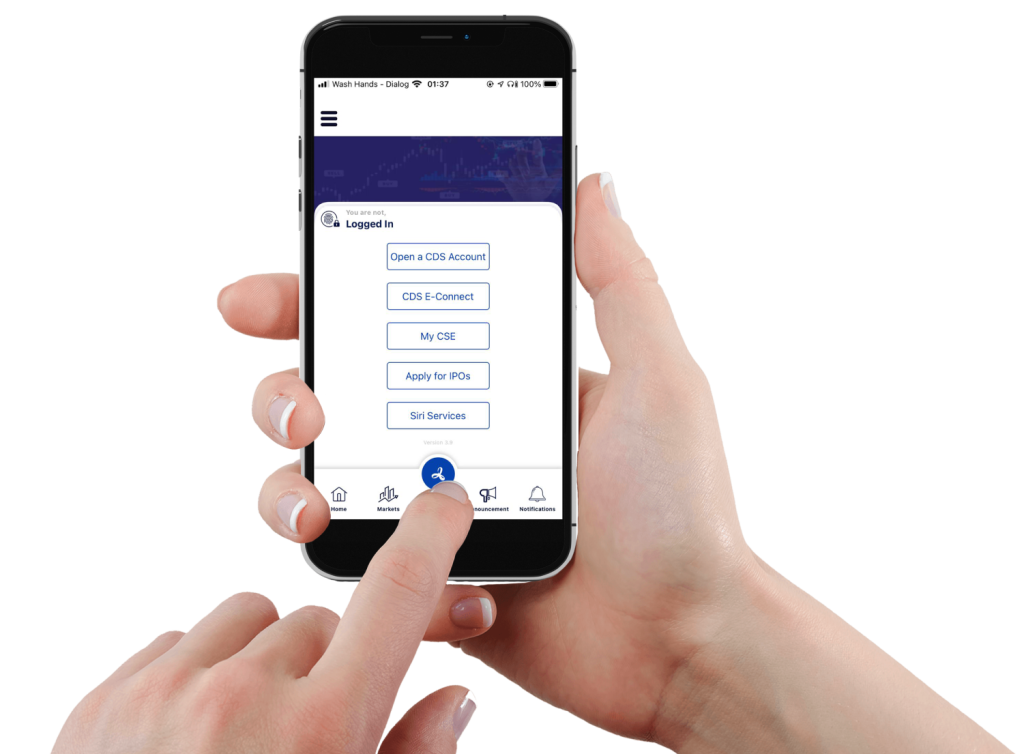
  • Colombo Stock Exchange has now introduced digitalization process of online account opening through CSE mobile App to easily open an account to your fingertips.

    Download Link : https://www.cse.lk/mobileapp/

How to open an account with Acap Stock Brokers

  • Individual Accounts
    • Local Individual
    • Foreign Individual
  • To open an account through the mobile application, you just need to download the CSE mobile application and fill out the account opening forms.  CSE Mobile App
  •  

Follow the Guidelines

Open a CDS Account_page-0001

Download Zone

Central Depository Systems (Pvt) Limited Forms
  • CDS and Broker related supporting forms  (Download)

Our Bank Accounts Name: Acap Stock Brokers (Pvt) Ltd

   Bank of Ceylon
– Account Number : 0071599107
– Bank Code : 7010
– Branch Code : 660
– SWIFT Code : BCEYLKLX

  Commercial bank of Ceylon PLC
– Account Number : 1000582978
– Bank Code : 7056
– Branch Code : 003
– SWIFT Code : CCEYLKLX

Transaction Cost

Share Transactions Fee Structure is implemented for any equity, as a percentage of the total Rupee value of the securities purchased or sold on your behalf. Brokerage rates are provided by the Colombo Stock Exchange and are subject to a minimum brokerage floor of 0.20%. This is common for all the Brokers.

For a purchase, the brokerage is added to the consideration payable for that transaction. For a sale, the brokerage is deducted from your gross proceeds.

Equity transaction fees of the Colombo Stock Exchange (CSE) and Central Depository System (pvt) ltd (CDS) with effect from 27th June 2017
Transaction Cost up tp Rs.100Mn (Total 1.12%)
Transaction Cost Over Rs.100Mn
The following videos will guide you further on how to open a CDS Account through Mobile application and to do further changes at your fingertips

Create new Account

CDS eConnect

Not sure what fits your Investment needs? Get free consultation!

Experience you can trust, service you can count on. Acap Stock Brokers – your partners in profit!